Dark & Light Theme
Switch between dark and light mode — work the way that suits you, day or night.
Your App, Your Way
A.X.E.L comes with both a dark theme and a light theme. Most trade apps give you one look and that's it. We think you should choose what works for you.
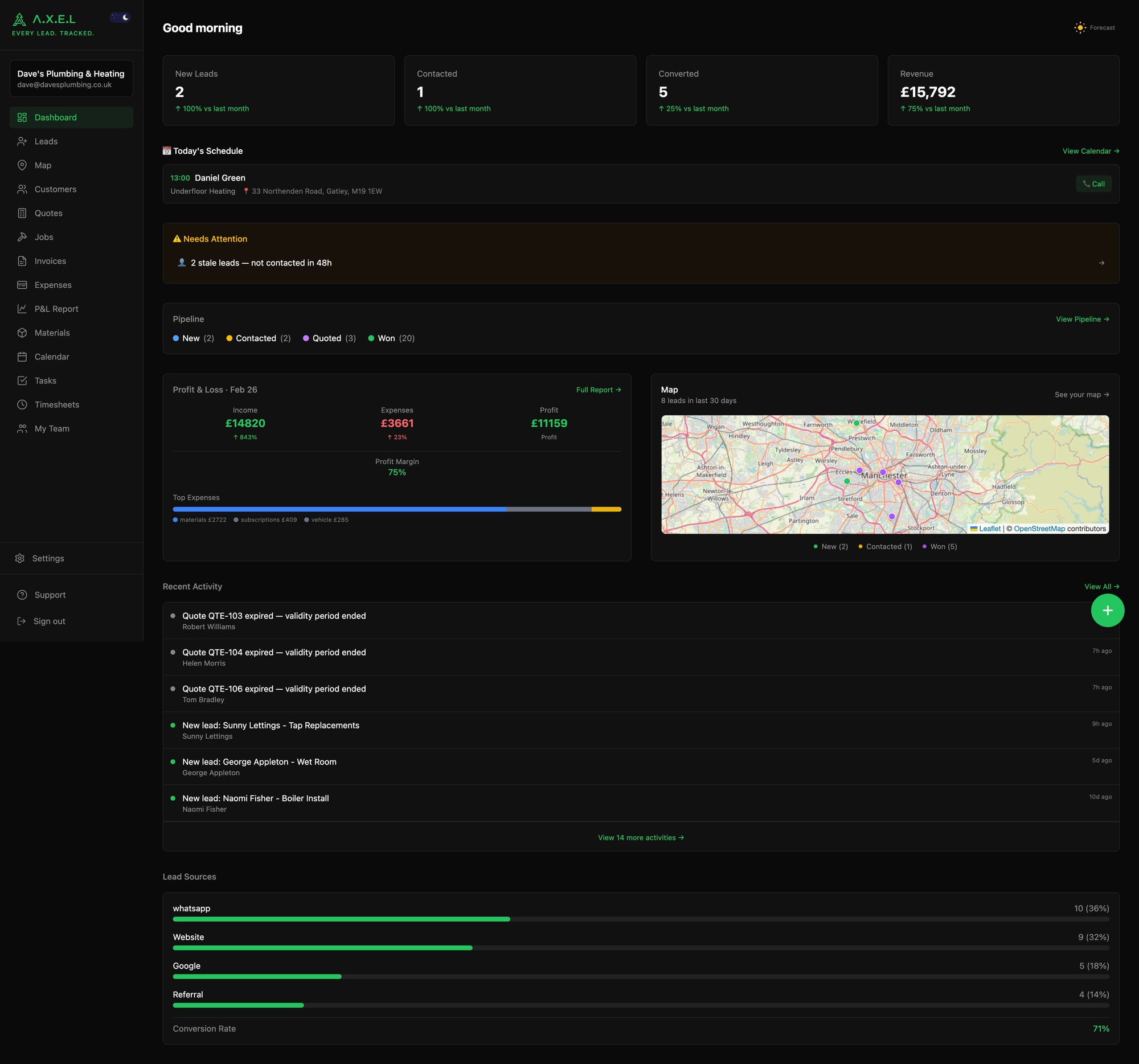
Dark Mode
The default. Easy on the eyes when you're checking your phone at 6am or doing admin in the evening. Less glare on-site, less battery drain on phones with OLED screens.
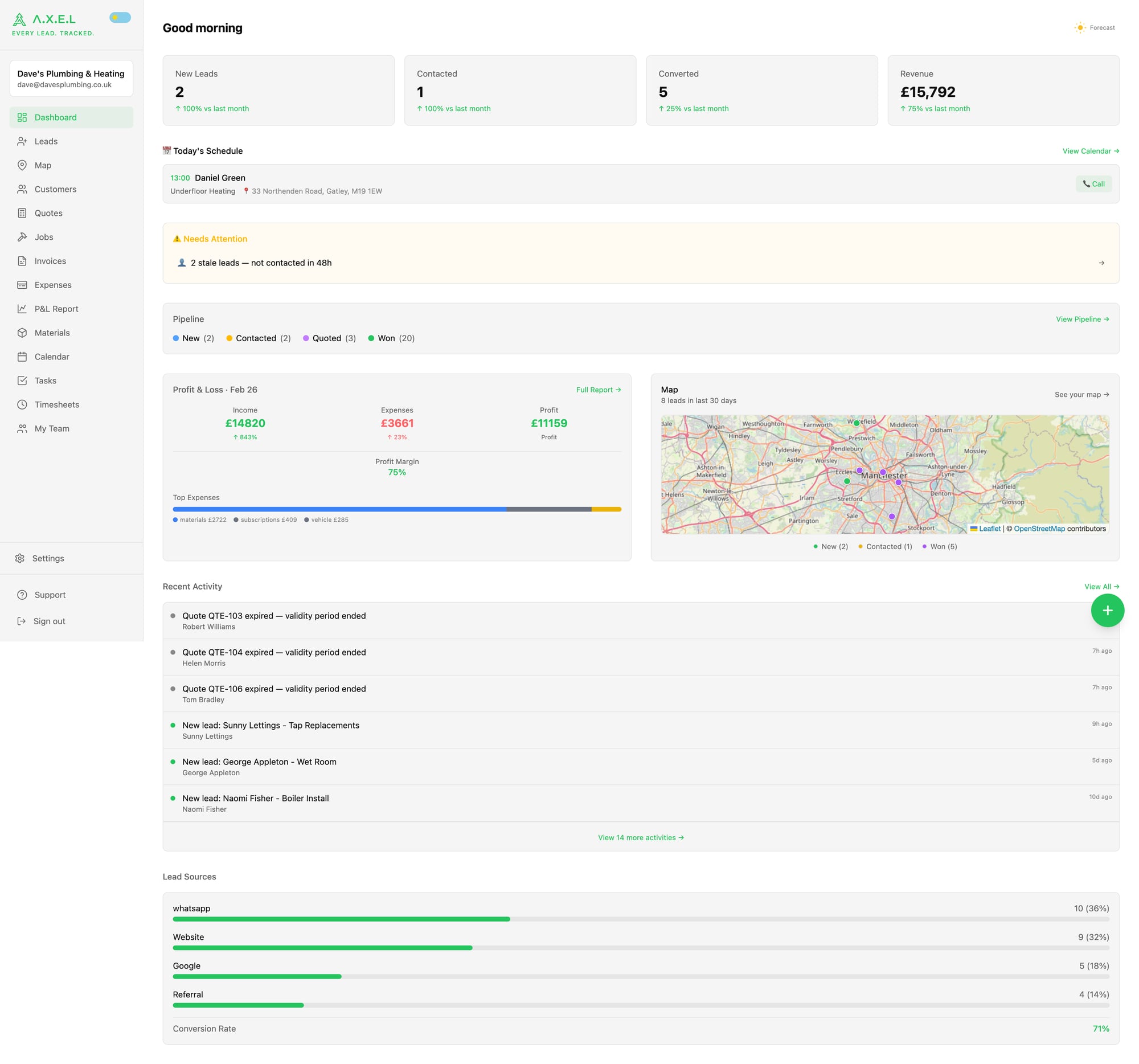
Light Mode
Clean and bright. Better visibility in direct sunlight — handy when you're on a roof or in a sunny conservatory trying to read a quote. Some people just prefer light backgrounds, and that's fine.
How to Switch
Two ways:
- Quick toggle — tap the 🌙/☀️ icon in the top-left corner of the sidebar, next to the A.X.E.L logo. One tap switches instantly.
- Settings page — go to Settings → General, scroll down to Appearance, and flip the toggle.
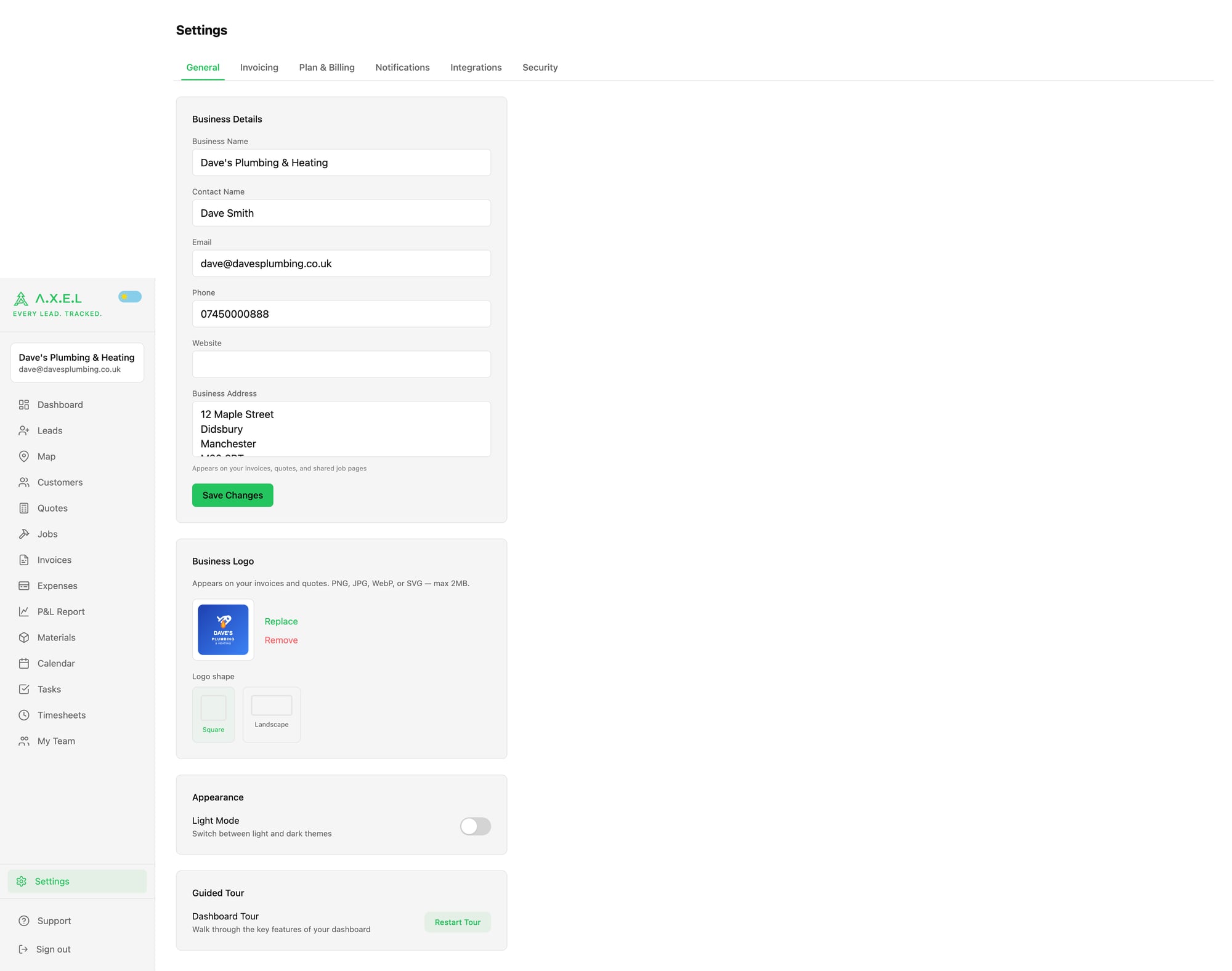
Your choice is saved to your account — it sticks across devices and sessions. Log in on your phone at night in dark mode, log in on your laptop in the morning and it'll still be dark mode (unless you switch it).
Everything Adapts
The theme isn't just the background colour. Everything adjusts:
- Sidebar and navigation
- Cards, tables, and charts
- Forms and inputs
- Status badges and pipeline colours
- The lead map
- PDF previews
It's a proper theme system — not a quick filter slapped on top. Every element has been designed to look right in both modes.
When to Use Each
| Situation | Recommended |
| Early morning / late night admin | 🌙 Dark |
| On-site in bright sunlight | ☀️ Light |
| Showing quotes to a customer | ☀️ Light (more familiar) |
| Driving between jobs (quick glance) | 🌙 Dark (less distraction) |
| Personal preference | Whichever you like 👍 |
What the Competitors Don't Have
For what it's worth — most trade management apps (ServiceM8, Tradify, Jobber) don't offer a dark mode at all. You get a white screen and that's your lot. If you've ever squinted at a bright white app at 11pm trying to send an invoice, you know why this matters.
Was this article helpful?